
Mobile 3D slicing · Version 3 is live
Your 3D slicer. Now in your pocket.
Turn STL and OBJ models into G-code on iPhone or iPad. Slice locally, inspect the toolpath layer by layer, then export for your printer.
Available now: Free for iPhone and iPad. No slicing account required.
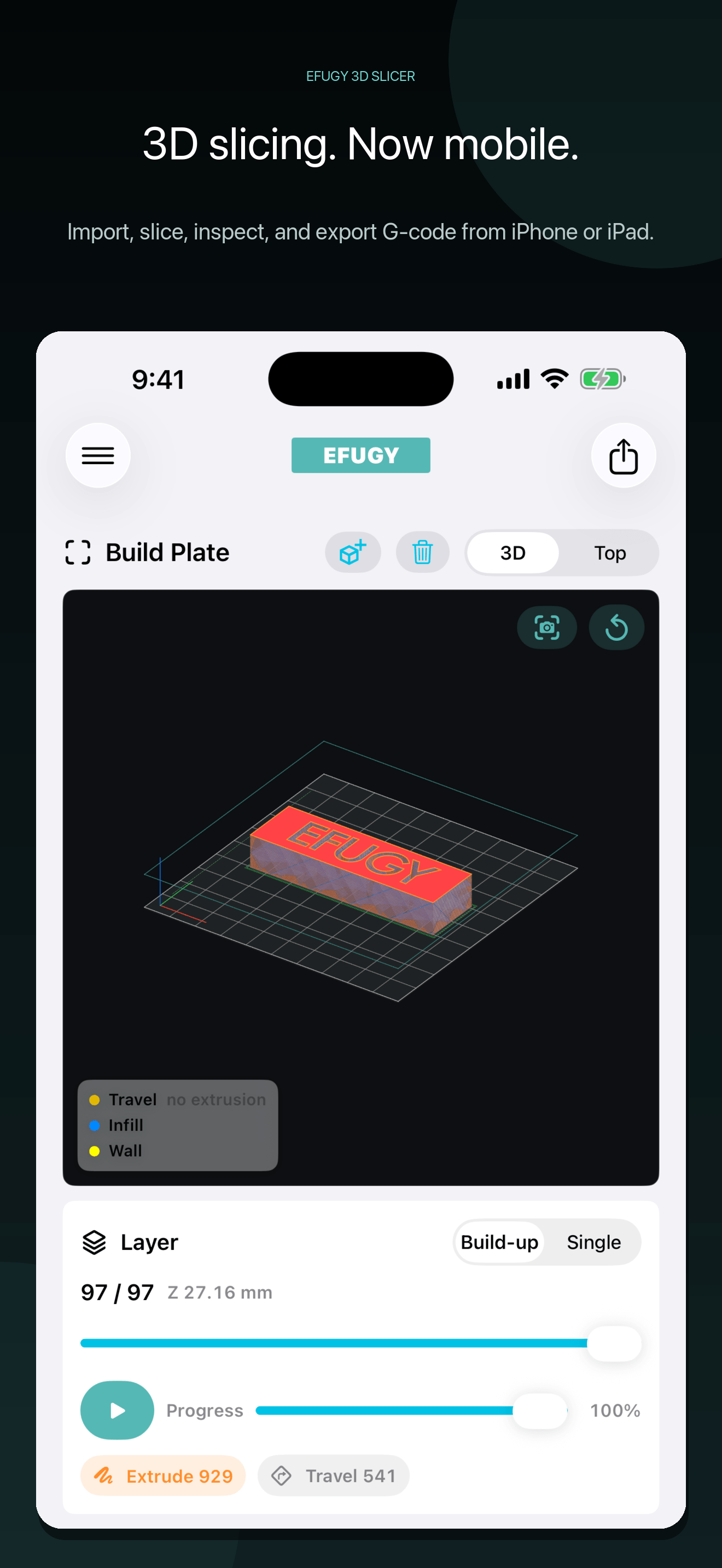

Current Version 3 release
Save what works. Tune what matters.
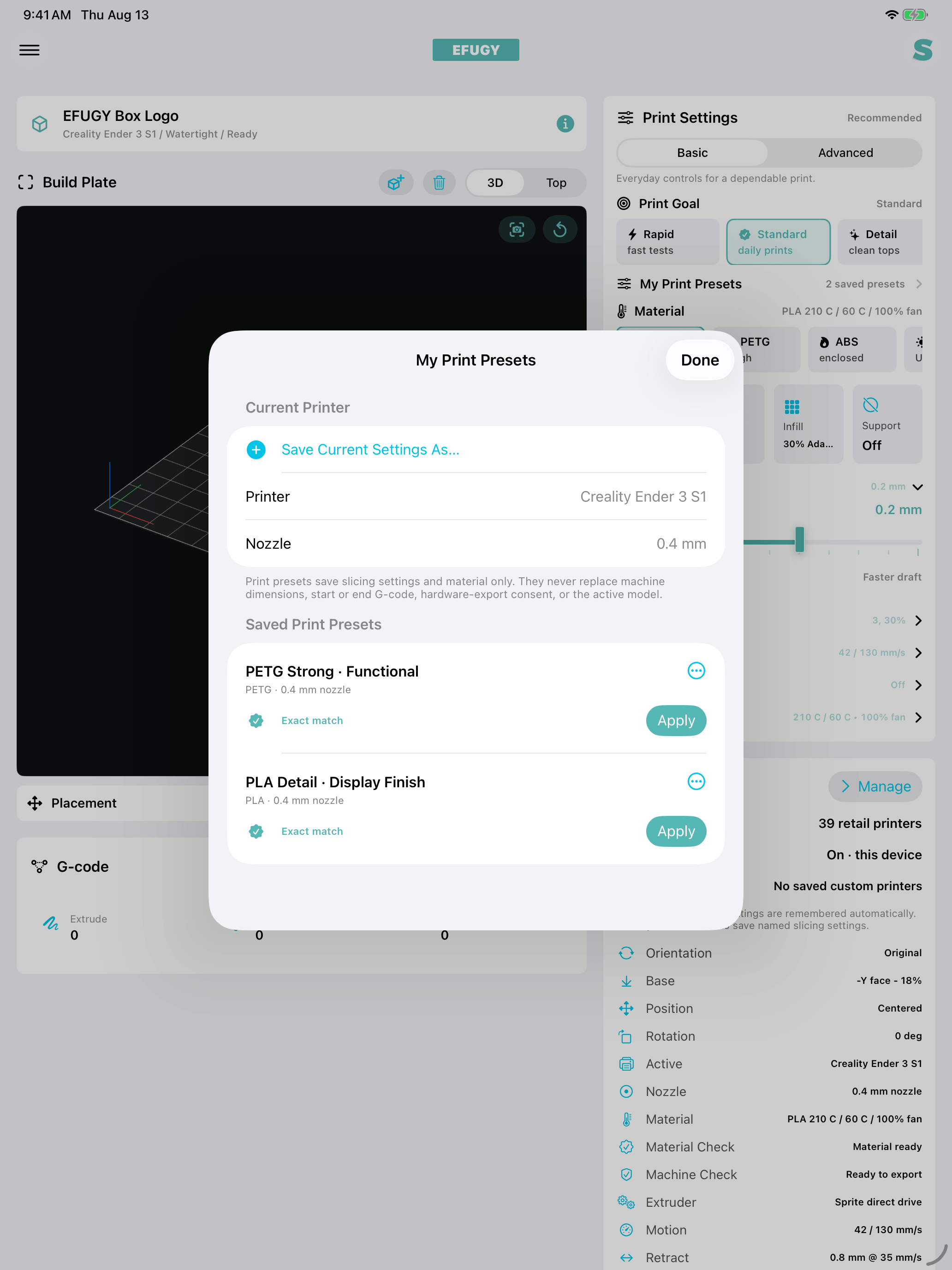
Keep named print presets, adjust Z-hop, inspect cleaner first-layer paths, and export through the route provided for the selected printer profile.
Live in Version 3
See more of the toolpath before you print.
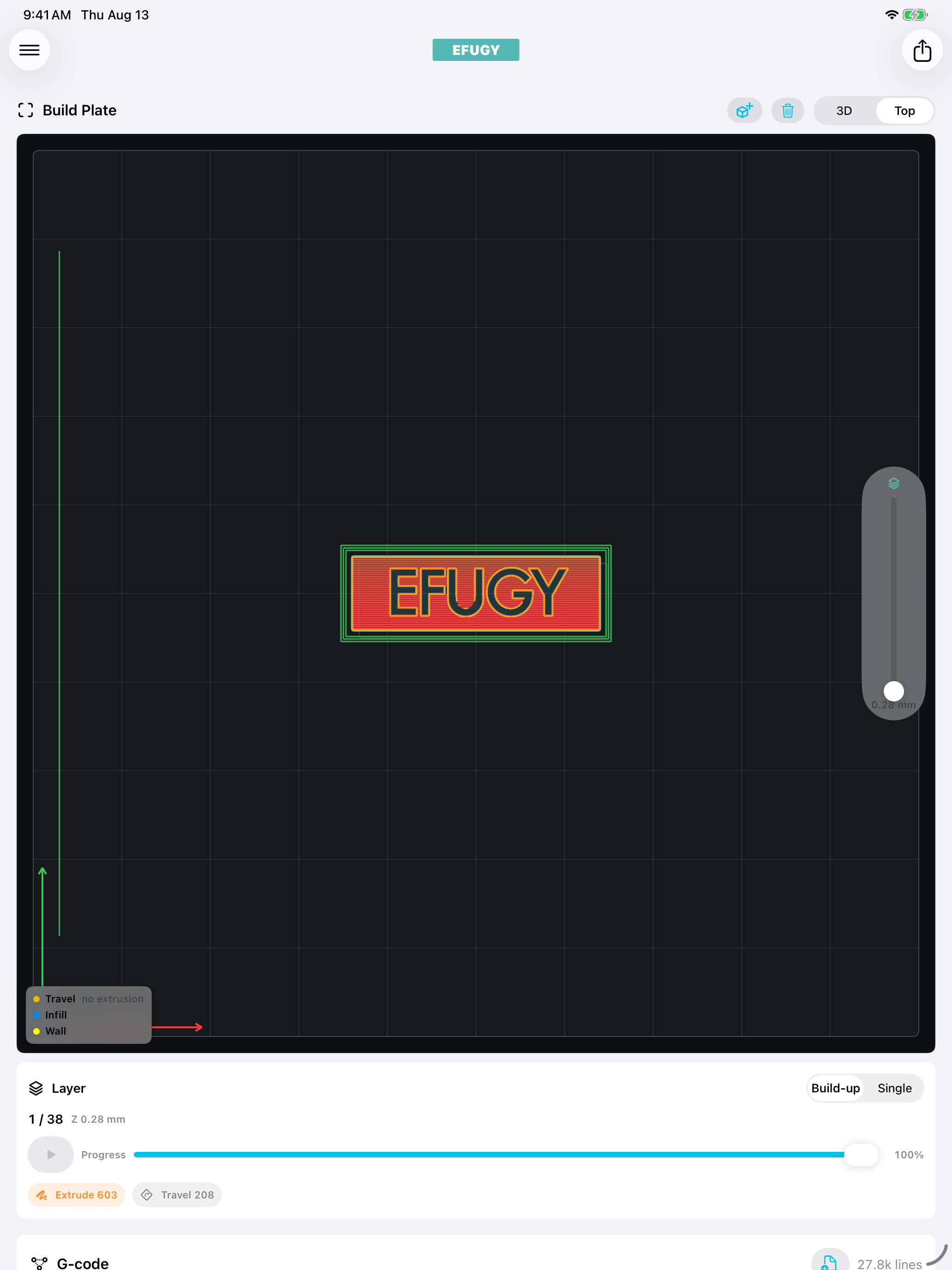
Review walls, infill, travel, and supports clearly before you export.
Metal-powered preview
See complete active-layer walls and infill, scrub through individual layers, or play the print from the first layer up.
Adaptive infill
Place more structure near walls and surfaces while keeping the deep core more open.
Arbor supports
Build branching supports that merge into trunks, steer around the model, and reach critical overhangs.
Named print presets
Save settings you want to reuse, then apply, rename, duplicate, or delete them without changing the printer profile.
Z-hop and first-layer control
Tune nozzle lift from 0 to 2.0 mm and review cleaner paths across first and bottom solid layers.
Clear export paths
Move G-code through Files or sharing, removable media, M3D Desktop Host File, or compatible local Klipper and Moonraker workflows.
From model to machine
From model file to reviewed G-code.
Use EFUGY when a model arrives away from your desktop, when you want to inspect a job beside the printer, or when you need a focused handoff through Files and your existing transfer setup.
- 01
Import the model.
Open an STL or OBJ from Files, iCloud Drive, AirDrop, or another iOS sharing workflow.
- 02
Prepare the job.
Check dimensions and build-volume fit, then choose a printer profile, material, nozzle, quality, infill, support, and placement.
- 03
Review the toolpath.
Inspect the model and generated paths in 3D or top view before you commit material and machine time.
- 04
Export the G-code.
Save or share G-code through iOS, then verify temperatures, motion, build volume, and printer-specific start and end behavior.
Know your starting point
Check the printer, profile, and test status.
See which profiles are included, which have been tested further, and which still need a careful first run on real hardware.
- Nozzle
- 0.4 mm
- Material
- PLA baseline
- Test date
- July 7, 2026
- Check level
- Preview + exported G-code
Result: import, slicing, toolpath review, and export completed with a preserved G-code file.
What this shows: The model was imported, sliced, previewed, and exported. It is not presented as a verified physical print.
Version 3 workspace
Inspect the structure before it reaches the printer.
Captured directly from the Version 3 workspace on iPhone and iPad.
Everything around the print
Find the material, model, guidance, or workbench product you need next.
Choose a material, find a model, solve a printer problem, or bring the workflow to the workbench.
Choose a practical starting point.
Compare PLA, PETG, ABS, ASA, TPU, and finish-focused workflows without treating a preset as a guarantee.
Explore material workflowsFind something worth preparing.
Browse the Rule Mobile catalog, check the source and license, then bring a supported STL or OBJ into EFUGY.
Browse 3D modelsUnderstand the settings.
Use dated, practical explanations for layers, infill, supports, materials, and troubleshooting.
Read 3D printing guidesBring the workflow to the workbench.
Explore available filament and maker products for the physical side of the print.
Visit the EFUGY shopCreator testing
Real printers make better profiles.
Makers, artists, educators, and printer specialists can help EFUGY test real machines, materials, and mobile handoffs. Bring the setup you know, try a focused workflow, and share what happened.
Support for the whole workflow
Setup, release notes, and current fixes in one place.
Start a first job, check a printer profile, solve a known issue, or contact EFUGY when something does not work as expected.
EFUGY 3D Slicer · Version 3
Prepare on mobile. Review every layer. Export for your printer.
Version 3 is available now with clear previews, reusable print presets, Adaptive infill, Arbor supports, and a growing printer catalog.