
Release status
EFUGY 3D Slicer release notes
Version 3.6 is available now with reusable print presets, adjustable Z-hop, cleaner first-layer paths, Klipper thumbnails, and more refined printer profiles.
Save useful settings and refine the machine handoff.
- Save named print presets, then apply, rename, duplicate, or delete them without replacing the active printer profile.
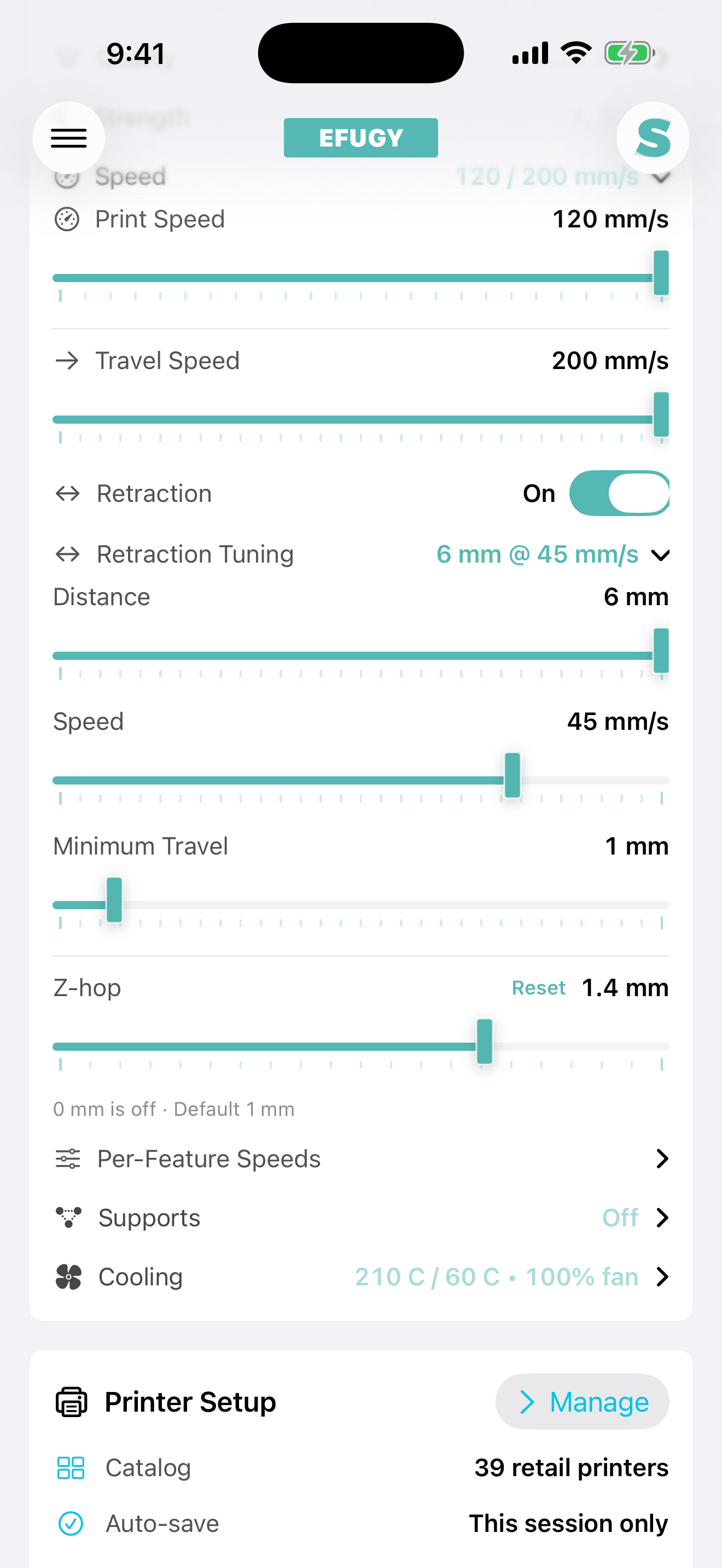
- Set Z-hop from 0 to 2.0 mm, or return to the selected profile’s default.
- Uses safer neighboring-line paths across first and bottom solid-fill regions to reduce avoidable repositioning. Sparse infill behavior is unchanged.
- Adds 48 × 48 and 300 × 300 model thumbnails to compatible Klipper G-code.
- Adds a dedicated Desktop Host File workflow for the original M3D Micro and Micro+, while the stock desktop app continues to manage printer setup and USB communication.
- Refines profiles for OrangeStorm Giga, Neptune 4, QIDI Q1 Pro and Plus 4, Anycubic Kobra 3 and S1, Prusa MK3S+, Creality K1 and Ender-3 V3, and Sovol SV06 and SV08.
- Every visible retail profile has a checked export path in the current release.
Beta profile note: Preview the G-code and supervise the first print when using a Community, Manufacturer, or Public Beta profile.
A broader catalog with clearer profile limits.
- Adds a CR-M4 Community Beta profile.
- Refines settings for the IdeaFormer IR3 V2, OrangeStorm Giga, and other listed printers.
- Improves Slice1 diagonal paths, reduces eligible contained-travel retractions, and makes Moonraker filenames easier to identify.
- Applies printer-aware speed, temperature, and nozzle limits more consistently.
- Makes profile status, validation messages, accessibility, and responsive layouts clearer.
Cleaner printer names and stronger profile safeguards.
- Adds a profile for the original Creality Ender 3.
- Clarifies brand and model names across the printer catalog.
- Fixes a saved Slice1 speed setting that could stop slicing at 10%.
- Applies printer motion limits before toolpath generation and gives clearer slice-error guidance.
- Improves Moonraker and Fluidd guidance, launch speed, and small-screen layouts.
Improved compatibility with the factory Slice1 Moonraker environment.
- Accepts the smaller
/access/inforesponse used by Moonraker v0.8, including responses that omit newer optional fields. - Accepts both wrapped upload results and the direct HTTP 201 JSON receipt returned by the factory Slice1 environment.
- Keeps authorization, checksum, byte-count, and destination-path validation in the transfer flow.
- Keeps print start separate from upload; EFUGY does not automatically start a job after transfer.
Original size, explicit fit, and a broader profile catalog.
- Preserves original model dimensions during import.
- Allows oversized models to be rotated before Fit to Printer is selected.
- Adds Original Size restoration while continuing to block out-of-bounds models from slicing.
- Adds the Easythreed K10 Community Beta profile for its 100 × 100 × 100 mm workspace, 0.4 mm nozzle, unheated bed, PLA and TPU workflows, and removable-media handoff.
- Refines the QREATTE Slice1 Manufacturer Beta profile with a more reliable END_PRINT handoff, fewer unnecessary sparse-infill retractions, and profile-specific 120 mm/s print and 200 mm/s default travel settings.
- Sets new installations to three walls and 30% Adaptive infill; 3DCP profiles remain at 0% infill.
- Adds QREATTE/Slice1 identity, purple Manufacturer Beta styling, construction-profile iconography, the Mini-Rail photograph, and simpler printer-profile copy.
Profile note: Manufacturer Beta and Community Beta profiles should be checked in Preview and tested with a raised-nozzle dry run before printing.
The biggest mobile slicing update yet.
- Introduced the production Metal renderer with complete active-layer walls and infill.
- Added Adaptive infill and more capable Arbor support routing.
- Improved narrow-feature perimeters for curved text and detailed shapes.
- Moved standard non-3DCP prints to a practical 0.20 mm layer height with three walls by default.
- Added and refined profiles, including Slice1 — Manufacturer Beta, and expanded Klipper/Moonraker workflows.
- Made raw G-code import faster with strict memory, cancellation, and validation controls.
- Refreshed settings, gestures, keyboard handling, sharing, export feedback, reliability, and profile validation.
Arbor supports, adhesion controls, and clearer previews.
- Added Arbor supports for model-aware support structures.
- Added bed-adhesion modes: Off, Skirt, and Brim.
- Added a color-coded legend for walls, infill, travel, and support paths.
- Expanded printer profiles, including additional Anycubic and Prusa entries, with beta profiles labeled for community testing.
- Improved import and slicing progress, model preparation, support contact points, G-code finishing, saving, sharing, stability, interface details, and accessibility.
Placement controls and a larger printer catalog.
- Added model scale, move, and rotation on the build plate.
- Added independent X, Y, and Z sizing controls with linked-dimension options.
- Added Arbor supports and detailed bed-adhesion settings.
- Added 26 retail printer profiles and custom-printer setup.
- Improved 3D and top-down preview, layer review, unsafe-condition warnings, slicing reliability, and mesh handling.
Expanded the local-first mobile workflow.
- Improved STL and OBJ import from Files, iCloud Drive, AirDrop, Mail, and other share flows.
- Expanded printer, nozzle, material, and profile setup.
- Improved support, surface-flow, infill, quality, and print-goal controls.
- Improved build-plate, model, and toolpath review.
- Improved G-code save, share, and transfer workflows.
Initial public App Store release.
Established the EFUGY mobile model-preparation, slicing, preview, and G-code export path for iPhone and iPad.
Version 3 workspace
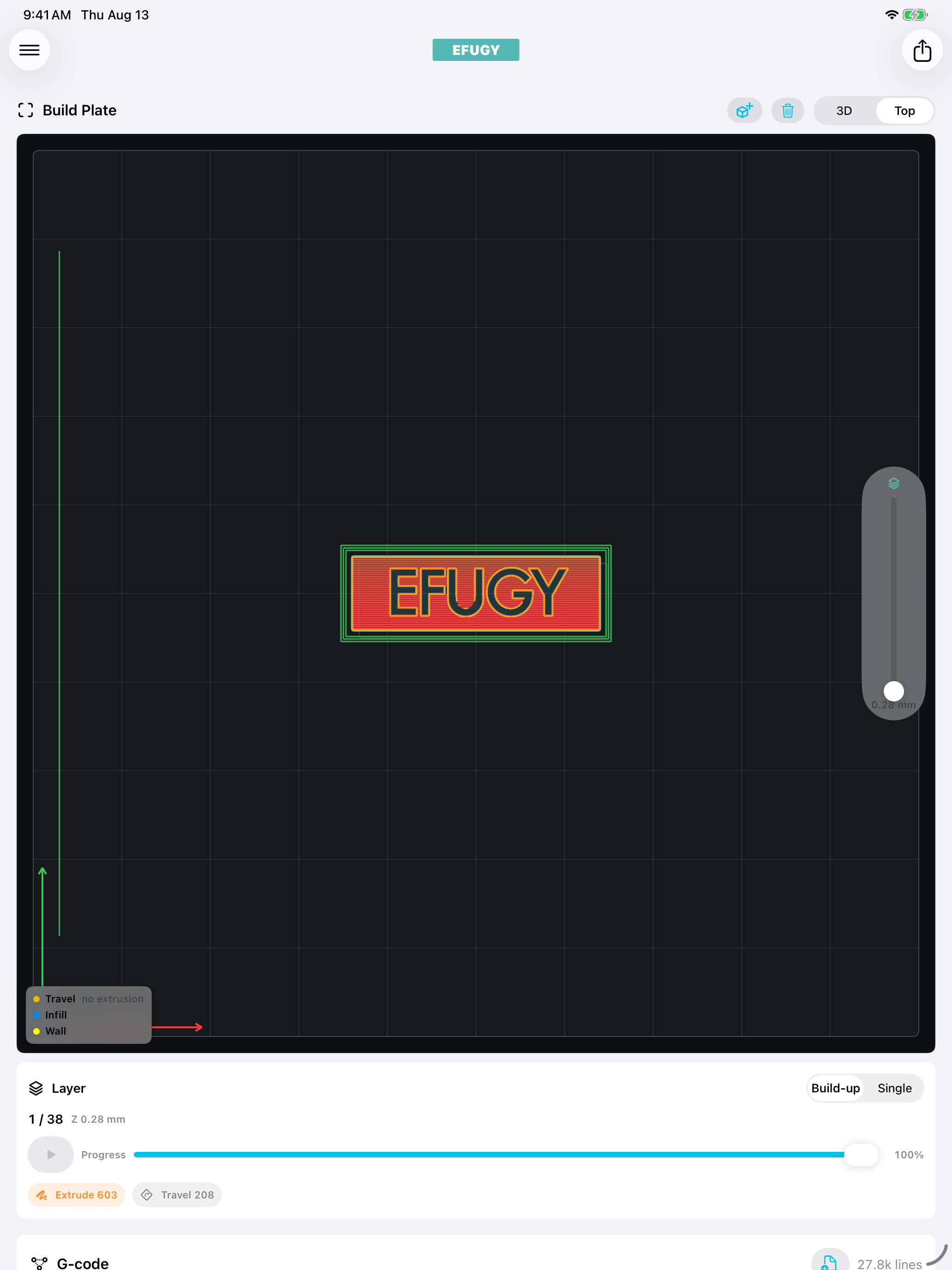
See the changes in the toolpath.
The current iPhone and iPad views show complete layers, Arbor supports, and the live Version 3 workspace.
Available on the App Store
Ready to try the current release?
Download Version 3.6, open an STL or OBJ, and review the complete toolpath before exporting G-code.